
How to Choose the Right Scanner for Your Photo Digitisation Project

When it comes to digitising your old photos, one of the most important steps is choosing the right scanner for the job. With so many different models and brands available, it can be difficult to know where to start. In this post, we’ll cover some key factors to consider when selecting a scanner for your photo digitisation project.

  1. Resolution: One of the most important factors to consider when selecting a scanner is the resolution. This refers to the number of pixels that the scanner can capture per inch (dpi). The higher the resolution, the more detail and clarity your scanned photos will have. For most photo digitisation projects, a resolution of 300-600 dpi is recommended.
  2. Flatbed vs. feeder: There are two main types of scanners: flatbed and feeder. Flatbed scanners are the most common type and are great for scanning individual photos or small batches. Feeder scanners, on the other hand, are better for larger projects with many photos, as they can automatically scan multiple photos at once.
  3. Speed: Another important factor to consider is the speed of the scanner. If you have a large collection of photos to digitise, you may want to consider a scanner with a fast scanning speed to save time.
  4. Compatibility: Before purchasing a scanner, make sure that it is compatible with your computer’s operating system. Some scanners may only work with Windows or Mac, for example.
  5. Price: Finally, you’ll want to consider your budget when selecting a scanner. While higher-end models may offer more features and better quality, they can also be quite expensive. There are plenty of affordable options available, so be sure to compare prices and features before making a decision.

By considering these factors and doing some research, you can choose the right scanner for your photo digitisation project and ensure that your precious memories are preserved for years to come.

Why Digitising Your Family Photos Is More Important Than Ever

In today’s digital age, it’s easy to take photos for granted. We can snap photos on our smartphones, share them instantly with family and friends, and upload them to social media platforms. But what about all those old family photos that are stored away in albums, gathering dust? That’s where digitizing comes in.

  1. Preserve family memories: Family photos are a treasure trove of memories, capturing special moments and milestones in our lives. However, traditional photos can deteriorate over time due to exposure to light, humidity, and other environmental factors. Digitizing your family photos ensures that they are preserved for generations to come, and protects them from damage or loss.
  2. Share memories with family: Digitizing your family photos also makes it easier to share them with family members, regardless of where they live. You can share them via email, social media, or online photo sharing platforms. This helps to keep family members connected, even if they live far apart.
  3. Easy to access and organise: Digital photos are easy to access and organize. You can store them on your computer, in the cloud, or on a portable hard drive, making it easy to find and view your family photos whenever you want. You can also organize them by date, location, or family member, making it easier to navigate through your collection.
  4. Edit and enhance photos: Digitizing your family photos also allows you to edit and enhance them. You can remove scratches, dust, and other imperfections, adjust the color and contrast, and even add special effects. This can breathe new life into old family photos and make them even more special.

At Precious Memories, we understand the importance of preserving family memories. That’s why we offer high-quality photo scanning and digitization services, helping families preserve their memories with care and expertise. Whether you have old photo albums or slides, we can digitize them into high-quality digital files that you can cherish for years to come

From Dusty Albums to Digital Memories: Our Photo Digitisation Process

At some point, we all stumble upon an old photo album that we haven’t seen in years. As we flip through the pages, memories come flooding back, and we are transported to a different time and place. However, those memories are not always safe. Old photos can fade, crack, or even get lost, and with them, the stories that they hold.

That’s where photo digitisation comes in. By converting your old photos into digital files, you can preserve them for future generations, protect them from damage, and even share them with loved ones around the world.

At Precious Memories, we understand the value of family memories, which is why we have developed a photo digitisation process that is safe, efficient, and affordable. Here’s how it works:

Step 1: Preparation

Before we digitise your photos, we will inspect them to ensure that they are clean and free of debris. We will also remove any photos that are damaged beyond repair.

Step 2: Scanning

Using high-quality scanners, we will carefully scan each of your photos at a high resolution. This will capture every detail and ensure that your digital copies are as close to the original as possible.

Step 3: Enhancement

Once your photos are scanned, we will use advanced software to enhance the quality of your images. This may include adjusting the brightness, contrast, or colour balance to make your photos look their best.

Step 4: Storage and Delivery

Once your photos are digitised, we will store them on a secure server and deliver them to you on a USB drive or through our cloud-based platform. This will ensure that you have easy access to your digital memories whenever you want them.

At Precious Memories, we take great pride in our photo digitisation process, and we are confident that you will love the results. Contact us today to get started and preserve your family history for generations to come.

How to Create a Family Tree Using Digitised Photos and Genealogy Software

Family trees are a great way to explore and understand your family’s history. By creating a family tree, you can see how your ancestors are related to each other and discover new information about your family’s past. With the advent of digital photo scanning and genealogy software, it’s now easier than ever to create a family tree using digitised photos. In this post, we’ll explore how to create a family tree using digitised photos and genealogy software.

Step 1: Digitise your photos

The first step in creating a family tree using digitised photos is to digitise your photos. You can either do this yourself using a scanner or hire a professional photo digitisation service to do it for you. Once your photos are digitised, you can easily store them on your computer or external hard drive.

Step 2: Organise your photos

The next step is to organise your photos. You can do this by creating folders on your computer and separating your photos by family member. You can also use photo management software like Adobe Lightroom or Google Photos to organise your photos.

Step 3: Choose a genealogy software

There are several genealogy software options available, including Ancestry.com, Family Tree Maker, and Gramps. Choose the one that best suits your needs and budget.

Step 4: Upload your photos to the genealogy software

Once you’ve chosen your genealogy software, you can start uploading your photos. Most genealogy software will have an option to upload photos and attach them to specific family members. Make sure to tag your photos with the correct family member to make them easy to find later.

Step 5: Build your family tree

Now that you have your photos uploaded to the genealogy software, you can start building your family tree. Start with yourself and work your way back through your ancestors. Use the digitised photos to help you visualise your family tree and make it easier to connect the dots.

Step 6: Research and add information

As you build your family tree, you may come across new information about your ancestors. Take the time to research and verify this information before adding it to your family tree. This will ensure that your family tree is accurate and reliable.

Step 7: Share your family tree

Once you’ve completed your family tree, you can share it with your family members. Most genealogy software will have an option to share your family tree online or through email. This is a great way to connect with relatives and share your family’s history.

Creating a family tree using digitised photos and genealogy software is a great way to explore and understand your family’s history. By following these steps, you can easily create a family tree that is accurate, reliable, and easy to share with your loved ones.

The Emotional Impact of Digitising Your Family Photos

Family photos hold a special place in our hearts. They capture memories of our loved ones and help us relive moments that we may have forgotten. However, as time passes, these precious memories can fade away, become lost or damaged, and even the physical copies can get destroyed or misplaced.

To ensure that these memories are preserved for future generations, it’s important to digitise your family photos. But did you know that digitising your photos can also have an emotional impact? In this post, we’ll explore how digitising your family photos can bring back memories, strengthen bonds, and even help heal emotional wounds.

  1. Bringing back memories: One of the biggest benefits of digitising your family photos is the ability to bring back memories that may have been forgotten. Looking at old photos can help trigger memories that may have been buried in the back of your mind. By digitising these photos, you can easily access them and relive those moments whenever you want.
  2. Strengthening bonds: Looking at family photos together can also help strengthen the bond between family members. It’s a great way to reminisce about the good times and share stories with each other. By digitising your family photos, you can easily share them with family members who may live far away, bringing everyone closer together.
  3. Healing emotional wounds: Family photos can also bring up painful memories, such as the loss of a loved one or a difficult family situation. However, by digitising these photos, you can take control of these memories and choose how to interact with them. You can choose to keep them private, share them with a trusted loved one, or even create a special digital album to help you heal.
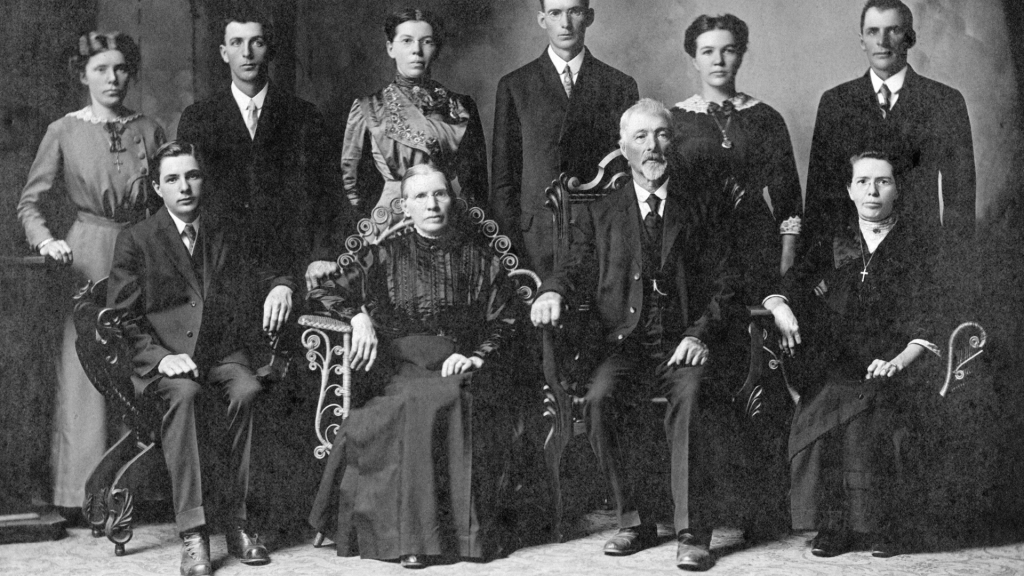
  4. Preserving family history: Family photos are not just memories of individual moments but also an important part of your family’s history. By digitising these photos, you’re preserving your family’s history for future generations. Your children, grandchildren, and even great-grandchildren will be able to learn about their family history and heritage through these photos.
  5. Reducing clutter: Finally, digitising your family photos can help reduce clutter in your home. Old photo albums and boxes can take up a lot of space, and it’s easy for them to get damaged or lost. By digitising them, you can free up physical space while also preserving your memories.

In conclusion, digitising your family photos is not just about preserving memories; it can also have a positive emotional impact. By bringing back memories, strengthening bonds, healing emotional wounds, preserving family history, and reducing clutter, digitising your family photos can improve your overall well-being.

Exploring Different Printing Options for Your Digitised Photos

Digitising your old photo albums is a great way to preserve your family memories for future generations. But once you have your digital photo collection, what’s the best way to print and display your photos? In this post, we’ll explore different printing options for your digitised photos.

  1. Traditional Prints

The most common and straightforward way to print your digitised photos is to order traditional prints. You can use online services like Shutterfly, Snapfish, or even your local drugstore to order prints of your favourite photos. Traditional prints are a great option if you want to display your photos in frames or albums.

  1. Canvas Prints

Canvas prints are another popular option for displaying your digitised photos. They give your photos a unique and artistic look that can really make them stand out. You can order canvas prints online from companies like CanvasPop or Canvas On Demand, or you can even print them yourself if you have a large format printer.

  1. Metal Prints

If you’re looking for something more modern and contemporary, metal prints are a great option. They’re printed directly onto aluminium, which gives them a sleek and durable finish. Metal prints are perfect for displaying your photos in modern spaces, like an industrial loft or minimalist apartment.

  1. Photo Books

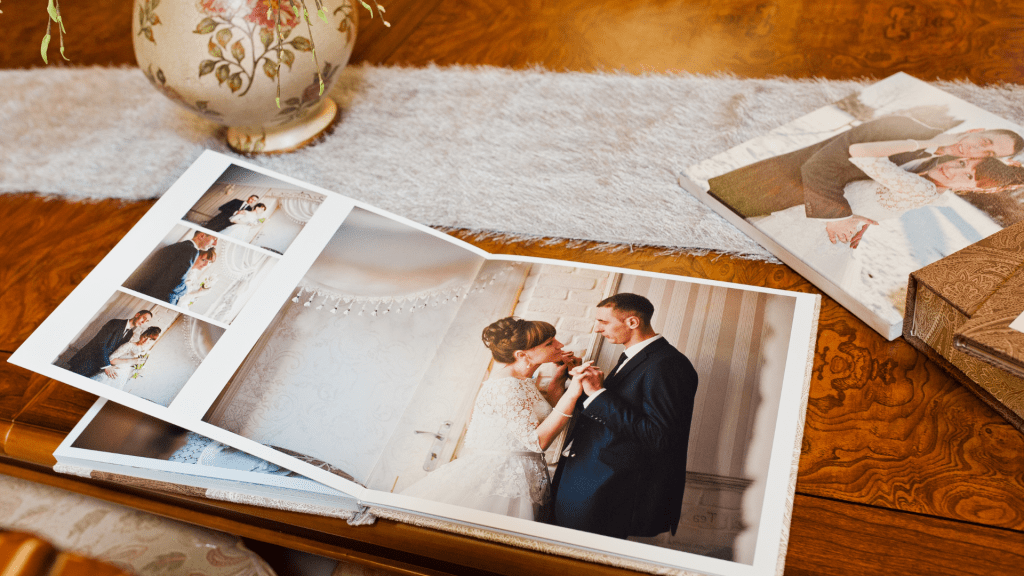
Another popular option for displaying your digitised photos is to create a photo book. Photo books allow you to tell a story with your photos and can be a great way to showcase your favourite memories. You can create photo books online using services like Shutterfly, Snapfish, or Blurb.

  1. Digital Frames

If you want to display your photos in a more high-tech way, digital frames are a great option. They allow you to display a slideshow of your favourite photos, which can be a fun and interactive way to share your memories with family and friends. You can find digital frames online or at your local electronics store.

There are many different printing options for your digitised photos, from traditional prints to canvas prints, metal prints, photo books, and digital frames. The best option for you will depend on your personal style and the space you have available for displaying your photos. No matter which option you choose, digitising your old photos is a great way to preserve your family memories for years to come.

How to Create a Photo Backup Plan to Keep Your Memories Safe

In today’s digital age, it’s easier than ever to store and share our memories through photographs. However, with the ever-present threat of data loss due to device failure, cyberattacks, or other unforeseen circumstances, it’s important to have a backup plan in place to ensure that these precious memories are never lost.

Here are some tips for creating a photo backup plan to keep your memories safe:

  1. Choose a reliable backup method: There are several backup methods available, such as cloud storage, external hard drives, and USB drives. Consider your budget, storage needs, and how often you will need to access your backups when choosing a backup method.
  2. Automate backups: Manually backing up your photos can be time-consuming and prone to error. Instead, set up automated backups that will run on a regular schedule, ensuring that your photos are always up-to-date.
  3. Use multiple backup methods: One backup method may not be enough to keep your photos safe. Consider using a combination of backup methods, such as cloud storage and an external hard drive, to ensure that your photos are always protected.
  4. Store backups in different locations: If you only store your backups in one location, such as your home, a disaster such as a fire or flood could result in the loss of both your original photos and your backups. Store your backups in multiple locations, such as a safe deposit box or with a trusted family member.
  5. Test your backups: Simply having backups isn’t enough – you also need to make sure that they work. Periodically test your backups to ensure that your photos can be accessed and restored if needed.

By following these tips, you can create a photo backup plan that will keep your memories safe and ensure that they can be cherished for generations to come.

The History of Photography: A Brief Overview

The history of photography is an interesting and important topic that has helped shape the way we see and experience the world around us. From the first camera obscura to modern digital cameras, photography has evolved over the centuries, and its impact on art, science, and culture cannot be overstated. In this post, we will provide a brief overview of the history of photography.

Camera Obscura

The camera obscura, which means “dark chamber” in Latin, is a device that projects an image onto a surface through a small hole. The concept of the camera obscura was first discovered by the ancient Greeks, but it wasn’t until the 16th century that the first portable camera obscura was invented. The camera obscura was used by artists to help them accurately capture the perspective and proportions of their subjects.

Daguerreotype

In 1839, Louis Daguerre invented the daguerreotype, which was the first commercially successful photographic process. The daguerreotype involved exposing a silver-coated copper plate to light, and then using mercury vapor to develop the image. The process was time-consuming and expensive, but it produced highly detailed images.

Film Photography

In the late 19th century, film photography was invented, which made it possible to capture multiple images on a single roll of film. The first film cameras were bulky and required a lot of skill to operate, but they paved the way for modern photography.

Digital Photography

The first digital camera was invented in 1975, but it wasn’t until the 1990s that digital cameras became widely available to consumers. Digital photography revolutionized the way we take and share photos, and it has made photography more accessible and affordable.

The history of photography is a fascinating subject, and it’s amazing to see how far we’ve come since the camera obscura. From the daguerreotype to modern digital cameras, photography has evolved over the centuries, and it will continue to do so. Whether you’re a professional photographer or just someone who enjoys taking pictures, it’s important to appreciate the history and art of photography.

How to Restore Damaged Photos Before Digitising Them

Restoring old, damaged photos can be a challenging task, especially if you want to digitise them. But fear not! In this post, we will share some tips and tricks on how to restore damaged photos before digitising them.

Identify the damage
The first step is to carefully examine the photo and identify any damage. Look for scratches, cracks, tears, stains, or discoloration.

Clean the photo
Before restoring the photo, it’s essential to clean it first. Use a soft-bristled brush or compressed air to remove any dust or debris. If there are stains, use a cotton swab dipped in distilled water to gently wipe the affected area.

Restore the photo digitally
Once the photo is clean, you can begin restoring it digitally. There are many software programs available for photo restoration, such as Adobe Photoshop or GIMP. These programs allow you to remove scratches and stains, adjust brightness and contrast, and even add colour to black and white photos.

Seek professional help
If you’re not comfortable restoring the photo yourself, seek professional help. There are many photo restoration services available that can restore your damaged photos for you. They have the expertise and tools to restore even the most damaged photos.

Digitise the photo
After the photo is restored, it’s time to digitise it. You can use a scanner or a smartphone camera to digitise the photo. If you’re using a scanner, make sure to use a high-resolution setting to capture all the details. If you’re using a smartphone camera, make sure to take the photo in good lighting and at a high resolution.

Restoring damaged photos before digitising them is a crucial step in preserving your family’s memories. With the right tools and techniques, you can restore even the most damaged photos and digitise them for future generations to enjoy.

The Top 10 Creative Ways to Display Your Digitised Photos

Have you recently digitised your old photo collection but don’t know how to display them creatively? Look no further! We have compiled a list of the top 10 creative ways to display your digitised photos and give them the attention they deserve.

  1. Create a Photo Wall: Transform an empty wall in your home into a photo wall with a variety of photo frames and sizes. This is a great way to showcase your favorite photos and memories.
  2. Photo Books: Create a photo book to tell a story with your photos. You can include captions and dates to make it even more special.
  3. Photo Collages: Combine several photos into a single image for a unique and personalized display. You can use photo editing software to create collages or print out the photos and arrange them on a poster board.
  4. Gallery Wraps: Transform your favourite photos into works of art by printing them on canvas and wrapping them around a frame. Gallery wraps add depth and texture to your photos and make them look like they belong in a museum.
  5. Digital Frames: Digital frames are a great way to display your digitized photos without taking up too much space. You can upload multiple photos and have them cycle through on a loop.
  6. Shadow Boxes: Shadow boxes are a great way to display memorabilia along with your photos. You can include items such as tickets, letters, and other keepsakes that hold special meaning.
  7. Photo Magnets: Turn your favourite photos into magnets for a fun and creative way to display them on your refrigerator or other magnetic surfaces.
  8. Photo Calendars: Create a personalized photo calendar with your favourite photos for a unique and practical display option.
  9. DIY Projects: Get creative and make your own photo displays with items like twine, clothespins, and string lights. The possibilities are endless!
  10. Photo Gifts: Turn your favourite photos into gifts for your loved ones. You can create custom photo mugs, blankets, and even puzzles.

Digitising your old photo collection opens up a world of creative possibilities for displaying your memories. From photo walls to DIY projects, there is a display option for everyone. Don’t let your digitised photos go to waste – show them off in a unique and creative way!