
From Dusty Albums to Digital Memories: Our Photo Digitisation Process

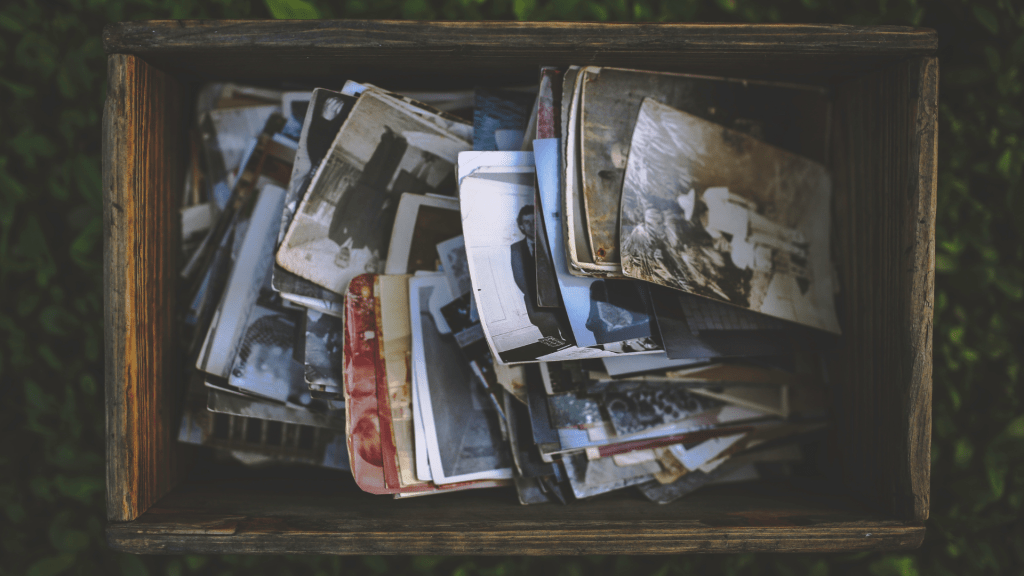
At some point, we all stumble upon an old photo album that we haven’t seen in years. As we flip through the pages, memories come flooding back, and we are transported to a different time and place. However, those memories are not always safe. Old photos can fade, crack, or even get lost, and with them, the stories that they hold.

That’s where photo digitisation comes in. By converting your old photos into digital files, you can preserve them for future generations, protect them from damage, and even share them with loved ones around the world.

At Precious Memories, we understand the value of family memories, which is why we have developed a photo digitisation process that is safe, efficient, and affordable. Here’s how it works:

Step 1: Preparation

Before we digitise your photos, we will inspect them to ensure that they are clean and free of debris. We will also remove any photos that are damaged beyond repair.

Step 2: Scanning

Using high-quality scanners, we will carefully scan each of your photos at a high resolution. This will capture every detail and ensure that your digital copies are as close to the original as possible.

Step 3: Enhancement

Once your photos are scanned, we will use advanced software to enhance the quality of your images. This may include adjusting the brightness, contrast, or colour balance to make your photos look their best.

Step 4: Storage and Delivery

Once your photos are digitised, we will store them on a secure server and deliver them to you on a USB drive or through our cloud-based platform. This will ensure that you have easy access to your digital memories whenever you want them.

At Precious Memories, we take great pride in our photo digitisation process, and we are confident that you will love the results. Contact us today to get started and preserve your family history for generations to come.

The Emotional Impact of Digitising Your Family Photos

Family photos hold a special place in our hearts. They capture memories of our loved ones and help us relive moments that we may have forgotten. However, as time passes, these precious memories can fade away, become lost or damaged, and even the physical copies can get destroyed or misplaced.

To ensure that these memories are preserved for future generations, it’s important to digitise your family photos. But did you know that digitising your photos can also have an emotional impact? In this post, we’ll explore how digitising your family photos can bring back memories, strengthen bonds, and even help heal emotional wounds.

  1. Bringing back memories: One of the biggest benefits of digitising your family photos is the ability to bring back memories that may have been forgotten. Looking at old photos can help trigger memories that may have been buried in the back of your mind. By digitising these photos, you can easily access them and relive those moments whenever you want.
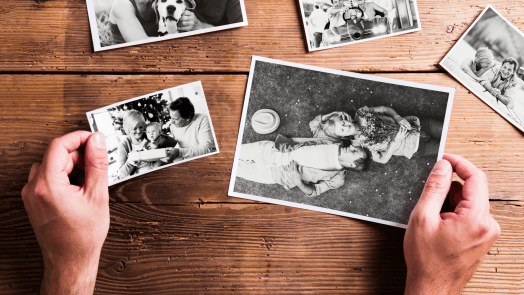
  2. Strengthening bonds: Looking at family photos together can also help strengthen the bond between family members. It’s a great way to reminisce about the good times and share stories with each other. By digitising your family photos, you can easily share them with family members who may live far away, bringing everyone closer together.
  3. Healing emotional wounds: Family photos can also bring up painful memories, such as the loss of a loved one or a difficult family situation. However, by digitising these photos, you can take control of these memories and choose how to interact with them. You can choose to keep them private, share them with a trusted loved one, or even create a special digital album to help you heal.
  4. Preserving family history: Family photos are not just memories of individual moments but also an important part of your family’s history. By digitising these photos, you’re preserving your family’s history for future generations. Your children, grandchildren, and even great-grandchildren will be able to learn about their family history and heritage through these photos.
  5. Reducing clutter: Finally, digitising your family photos can help reduce clutter in your home. Old photo albums and boxes can take up a lot of space, and it’s easy for them to get damaged or lost. By digitising them, you can free up physical space while also preserving your memories.

In conclusion, digitising your family photos is not just about preserving memories; it can also have a positive emotional impact. By bringing back memories, strengthening bonds, healing emotional wounds, preserving family history, and reducing clutter, digitising your family photos can improve your overall well-being.

How to Restore Damaged Photos Before Digitising Them

Restoring old, damaged photos can be a challenging task, especially if you want to digitise them. But fear not! In this post, we will share some tips and tricks on how to restore damaged photos before digitising them.

Identify the damage
The first step is to carefully examine the photo and identify any damage. Look for scratches, cracks, tears, stains, or discoloration.

Clean the photo
Before restoring the photo, it’s essential to clean it first. Use a soft-bristled brush or compressed air to remove any dust or debris. If there are stains, use a cotton swab dipped in distilled water to gently wipe the affected area.

Restore the photo digitally
Once the photo is clean, you can begin restoring it digitally. There are many software programs available for photo restoration, such as Adobe Photoshop or GIMP. These programs allow you to remove scratches and stains, adjust brightness and contrast, and even add colour to black and white photos.

Seek professional help
If you’re not comfortable restoring the photo yourself, seek professional help. There are many photo restoration services available that can restore your damaged photos for you. They have the expertise and tools to restore even the most damaged photos.

Digitise the photo
After the photo is restored, it’s time to digitise it. You can use a scanner or a smartphone camera to digitise the photo. If you’re using a scanner, make sure to use a high-resolution setting to capture all the details. If you’re using a smartphone camera, make sure to take the photo in good lighting and at a high resolution.

Restoring damaged photos before digitising them is a crucial step in preserving your family’s memories. With the right tools and techniques, you can restore even the most damaged photos and digitise them for future generations to enjoy.

Preserve Your Family History: How Digitising Your Photos Can Help

Family photos are precious treasures that hold a lifetime of memories. They are a physical representation of our family history, capturing moments that we can never get back. However, as time passes, photos can deteriorate, fade, or get lost. To preserve your family’s legacy, it is essential to digitise your photos.

Digitising your photos is a process that involves scanning your physical prints and converting them into digital files. It is an excellent way to protect your family’s memories from damage, loss, or decay. There are many reasons why you should consider digitising your photos, and in this blog post, we’ll explore some of the key benefits.

Preserve Your Family’s Legacy

Digitising your photos is an excellent way to preserve your family’s legacy for generations to come. By digitising your photos, you can easily create backups of your files, which means you won’t have to worry about losing your family’s history due to fire, flood, or other natural disasters. With digital files, you can easily share your family’s legacy with your loved ones, no matter where they are in the world.

Save Space and Organize Your Photos

Digitising your photos can also help you save space and organize your collection. Old photo albums and boxes take up a lot of space, but by digitising them, you can store them on your computer, external hard drive, or cloud storage. This means you can access your photos from anywhere, at any time, without having to worry about finding physical space for them.

Enhance and Restore Old Photos

Digitising your photos also provides an opportunity to enhance and restore old photos. Digital software allows you to adjust the colour balance, brightness, and contrast of old photos. You can also remove blemishes, scratches, and other marks that may have appeared over time. By doing so, you can revive your old photos and make them look as good as new.

Preserve Your Photos in Case of Disaster

In the event of a natural disaster, such as a fire or flood, digitised photos will be safe from damage. You can easily create multiple copies of your digital files and store them in different locations to ensure that they are protected.

Easily Share Your Photos with Others

One of the greatest benefits of digitising your photos is the ability to share them with others easily. You can email your digital files, post them on social media, or create a family website where your loved ones can access and view your photos. This makes it easy to share your family’s legacy with your children, grandchildren, and future generations.

Digitising your family photos is a simple and effective way to preserve your family’s history. It allows you to save space, organise your collection, restore old photos, protect them from disaster, and easily share them with others. Don’t wait until it’s too late; digitise your family photos today and ensure that your family’s legacy is preserved for generations to come.

Beyond Digitisation: Creative Ways to Preserve and Share Your Family Memories

As technology advances, we have more options for preserving and sharing our family memories beyond just digitising them. Here are some creative ways to take your family memories to the next level.

  1. Create a Family Memory: Book A family memory book is a great way to preserve your family history in a physical form. It can be as simple or as elaborate as you like. You can include old photos, family trees, family stories, and anything else that you feel represents your family’s history.
  2. Make a Photo Collage: A photo collage is a fun and creative way to display your family photos. You can create a collage of photos from a specific event, like a family vacation or a wedding. You can also create a collage of photos from different time periods to show how your family has changed over the years.
  3. Create a Family Tree: Creating a family tree is a great way to document your family’s history and lineage. There are many online tools and software programs available that make it easy to create a family tree. You can also create a physical family tree using a poster board and printed photos.
  4. Create a Family Time Capsule: A family time capsule is a great way to preserve memories for future generations. You can include items that represent your family, like photos, letters, and special mementos. You can bury the time capsule in your backyard or store it in a safe place.
  5. Create a Digital Scrapbook: A digital scrapbook is a fun and creative way to display your family photos. There are many online tools and software programs available that make it easy to create a digital scrapbook. You can include photos, stories, and special mementos.
  6. Create a Family Website: Creating a family website is a great way to share your family history with others. You can include photos, family trees, and stories about your family. You can also create a blog to share updates and news about your family.
  7. Make a Family Recipe Book: A family recipe book is a great way to preserve your family’s culinary traditions. You can include family recipes, photos of the dishes, and stories about the history of the recipes. You can also include family stories and photos to make the book more personal.

Digitising your family memories is just the first step in preserving and sharing your family history. These creative ideas will help you take your family memories to the next level and create something that can be cherished for generations to come.

Preserving Precious Moments: The Benefits of Photo Digitisation for Special Occasions and Milestones

Photographs hold the power to capture and preserve our most cherished memories. From weddings and graduations to birthdays and anniversaries, photographs are a way to relive those special moments and milestones for years to come. However, as time passes, photographs can fade, become damaged, or even get lost. That’s where photo digitisation comes in – it allows us to preserve those precious moments and milestones forever. In this blog post, we’ll explore the benefits of photo digitisation for special occasions and milestones.

  1. Preserve Memories for Future Generations

One of the greatest benefits of photo digitisation for special occasions and milestones is that it allows us to preserve memories for future generations. When photos are digitised, they can be stored and shared easily, making it possible for family members and friends to relive those special moments for years to come.

  1. Protect Your Photos from Damage

Another benefit of photo digitisation is that it protects your photos from damage. Over time, physical photographs can become damaged or even destroyed, leaving you with nothing but memories. By digitising your photos, you can protect them from physical damage and ensure that they remain intact for years to come.

  1. Share Your Memories Easily

With digitised photos, sharing your memories with family and friends has never been easier. You can share your photos through social media, email, or even create online photo albums. This allows you to share your special moments with anyone, anywhere in the world.

  1. Create Personalised Gifts

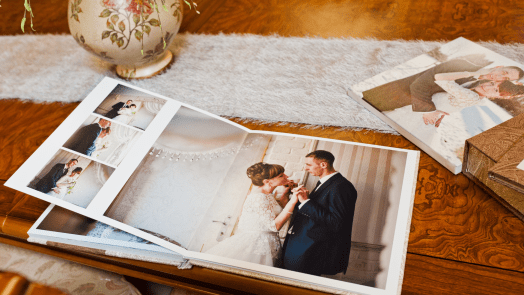
Digitised photos can also be used to create personalised gifts for special occasions and milestones. From creating a photo album for a wedding or graduation to making a personalised photo book for a milestone birthday or anniversary, the possibilities are endless.

  1. Enhance Your Photos

Finally, photo digitisation allows you to enhance your photos. With digital editing tools, you can adjust the brightness and contrast, remove scratches and blemishes, and even add colour to black and white photos. This can help bring your photos back to life and make them look better than ever.

Photo digitisation is an excellent way to preserve special moments and milestones for years to come. By digitising your photos, you can protect them from physical damage, share them easily with family and friends, and even enhance them to make them look better than ever. Whether it’s a wedding, graduation, birthday, or anniversary, photo digitisation allows you to preserve those precious moments and create memories that will last a lifetime.

Maximising Your Photo Digitisation Results: Choosing the Right Resolution and File Format

Digitising your old photographs can be a rewarding and fulfilling task, but it can also be a daunting one, especially when it comes to choosing the right resolution and file format. These two factors can have a significant impact on the final result of your digitisation project, so it’s important to understand the differences and choose wisely. In this blog post, we’ll explore how to maximise your photo digitisation results by choosing the right resolution and file format.

Resolution

When it comes to digitising your photos, resolution refers to the amount of detail that can be captured in the image. The higher the resolution, the more detail that can be captured. However, higher resolution also means larger file sizes, which can impact storage and processing capabilities. So how do you choose the right resolution for your photo digitisation project?

The answer depends on your intended use for the digitised photos. If you plan to print the photos at a large size or use them for professional purposes, such as in a museum or gallery setting, you’ll want to choose a high resolution, typically 600 DPI (dots per inch) or higher. This will ensure that the details of the original photo are captured accurately and can be seen clearly in the final result.

If, on the other hand, you only plan to view the digitised photos on a screen, such as on a computer or TV, a lower resolution of around 300 DPI may be sufficient. This will still capture enough detail to produce a high-quality image on a screen, but the smaller file size will make it easier to store and share.

File Format

Once you’ve chosen the right resolution for your digitisation project, it’s important to consider the file format. There are several file formats to choose from, including JPEG, TIFF, and RAW, each with its own advantages and disadvantages.

JPEG is a commonly used file format and is suitable for most purposes. It offers good compression, making it ideal for storing and sharing digital photos online. However, JPEG is a lossy format, meaning that it compresses the image data, resulting in a loss of quality. This can be a concern if you plan to use the digitised photos for professional purposes.

TIFF, on the other hand, is a lossless file format, meaning that it retains all the data from the original image. It’s a larger file format, but it offers the highest quality, making it ideal for professional use.

RAW is another lossless file format, but it’s primarily used by professional photographers who want to have full control over the editing process. RAW files are larger than JPEG or TIFF files and require specialised software to view and edit.

In general, for most home photo digitisation projects, JPEG or TIFF are the best file formats to use. If you plan to use the digitised photos for professional purposes, TIFF may be the better option.

Choosing the right resolution and file format for your photo digitisation project is crucial to achieving high-quality results. By understanding the differences and advantages of each option, you can make an informed decision and maximise the potential of your old photos. Remember to consider your intended use for the digitised photos when making your choices, and always keep a backup of your original files to ensure they are protected for future generations.

The Pros and Cons of DIY Photo Digitisation vs. Professional Services

Digitising your old family photos is a great way to preserve and share them with future generations. It allows you to create digital copies that can be easily stored, shared, and edited. But when it comes to photo digitisation, there are two main options: doing it yourself or hiring a professional service. Each option has its own set of advantages and disadvantages. In this blog post, we will explore the pros and cons of both DIY photo digitisation and professional services.

DIY Photo Digitisation

Pros:

  1. Cost: One of the most significant advantages of DIY photo digitisation is cost. Purchasing a scanner or camera and doing the work yourself is typically less expensive than hiring a professional service.
  2. Control: When you digitise photos yourself, you have complete control over the process. You can take your time and ensure that each photo is scanned at the right resolution and colour settings.
  3. Convenience: DIY photo digitisation allows you to work at your own pace and on your own schedule. You don’t have to worry about shipping your photos or scheduling an appointment with a professional service.

Cons

  1. Time-consuming: Digitising photos can be a time-consuming process, especially if you have a large collection. It can take hours, if not days, to scan and edit all of your photos.
  2. Quality: The quality of your digitised photos may not be as high as those done by a professional service. You may not have access to the same high-quality scanners or colour correction software.
  3. Technical knowledge: DIY photo digitisation requires some technical knowledge. You need to know how to use a scanner or camera, as well as photo editing software. Without this knowledge, you may not be able to achieve the best results.

Professional Photo Digitisation Services

Pros

  1. Quality: Professional services typically have access to high-quality scanners and editing software, which can result in better-quality digitised photos.
  2. Expertise: Professional services have the knowledge and experience to digitise photos quickly and efficiently. They know how to handle delicate or damaged photos, ensuring they are digitised safely and with the best results.
  3. Convenience: Using a professional service can be convenient. You can ship your photos to the service or drop them off in person. They will take care of the rest, providing you with high-quality digital copies of your photos.

Cons

  1. Cost: The biggest disadvantage of using a professional service is cost. It can be significantly more expensive than DIY photo digitisation.
  2. Lack of control: When you use a professional service, you have less control over the process. You may not have the final say on colour correction or resolution settings.
  3. Turnaround time: Using a professional service can also mean a longer turnaround time. Depending on the service and the number of photos you need digitised, it can take weeks or even months to receive your digitised photos.

Both DIY photo digitisation and professional services have their own set of advantages and disadvantages. It ultimately depends on your budget, time constraints, and technical knowledge. If you have a small collection of photos and want to save money, DIY photo digitisation may be the best option. But if you have a large collection or want the highest quality digitised photos, it may be worth investing in a professional service. Whatever option you choose, digitising your old family photos is a great way to preserve them for future generations.

Bringing Memories Back to Life: A Customer’s Story

At Precious Memories, we believe that every photo tells a story. That’s why we’re passionate about helping people preserve their memories by digitising old photos that are gathering dust in their attics and basements. We recently had a customer who wanted to digitise an old photo album that had been in her family for generations. Here is her story:

The customer, Mary, had inherited an old photo album from her grandmother. The album was filled with black and white photos of her grandparents, great-grandparents, and other relatives, some of whom she had never even met. Mary knew that the photos were precious and wanted to preserve them for her children and future generations of her family.

Mary searched online for a photo scanning service and came across Precious Memories. She contacted us and arranged to have the photos scanned and digitised. When we received the album, we carefully scanned each photo using state-of-the-art equipment and software. We then colour-corrected and retouched each photo to bring out their full beauty and vibrancy.

When we sent the digital copies of the photos to Mary, she was overjoyed. She had never seen the photos in such great detail and was amazed at how vivid the colours were. Mary was able to share the photos with her family members, some of whom had never seen the old family photos before.

Mary told us that the experience of seeing her family’s history come back to life was priceless. She was grateful that she had decided to digitise the old photo album and was thrilled with the quality of the scans and the restoration work. Mary also appreciated the care and attention that we put into the scanning and digitising process, knowing that the photos were in good hands.

At Precious Memories, we take pride in our work and are committed to helping our customers preserve their precious memories. Contact us today to learn more about our photo scanning and digitising services and how we can help bring your family’s memories back to life.

5 Tips for Organising and Preserving Your Family Photos

Do you have boxes of old family photos stored away in your home, but aren’t quite sure what to do with them? Preserving family memories can be a daunting task, but with a few simple tips, you can organize and preserve your family photos for generations to come. Sort and organize your photos: The first…

How to Share Your Digitised Photos with Family and Friends

Digitising your old family photos is a great way to preserve your precious memories. But what’s the point of digitising your photos if you can’t share them with your loved ones? In this blog post, we’ll discuss some creative ways to share your digitised photos with family and friends. Social Media One of the easiest…

5 Tips for Organising Your Digital Photo Collection

In today’s digital age, we take more photos than ever before. With smartphones in our pockets, it’s easy to capture every moment of our lives. However, with this convenience comes the challenge of managing and organising our growing digital photo collections. If you’re struggling to keep your digital photos organised, we have five tips to…