
Preserving Your Family’s Legacy: How Genealogy Research Can Complement Your Photo Digitisation Project

Preserving family memories is essential in ensuring that the legacy of your family is passed down to future generations. Digitising old photos and documents is an excellent way to preserve family history, but genealogy research can also help in preserving the family’s legacy. Genealogy research can complement the digitisation project by providing valuable information about family members, their relationships, and their history. In this blog post, we will explore how genealogy research can complement your photo digitisation project.
Understanding Genealogy Research

Genealogy research is the study of family history and ancestry. It involves tracing family lineage, relationships, and histories through various sources such as birth certificates, census records, marriage certificates, and death certificates. The research involves gathering and analysing data to establish a family’s lineage, history, and relationships.

How Genealogy Research Complements Photo Digitisation

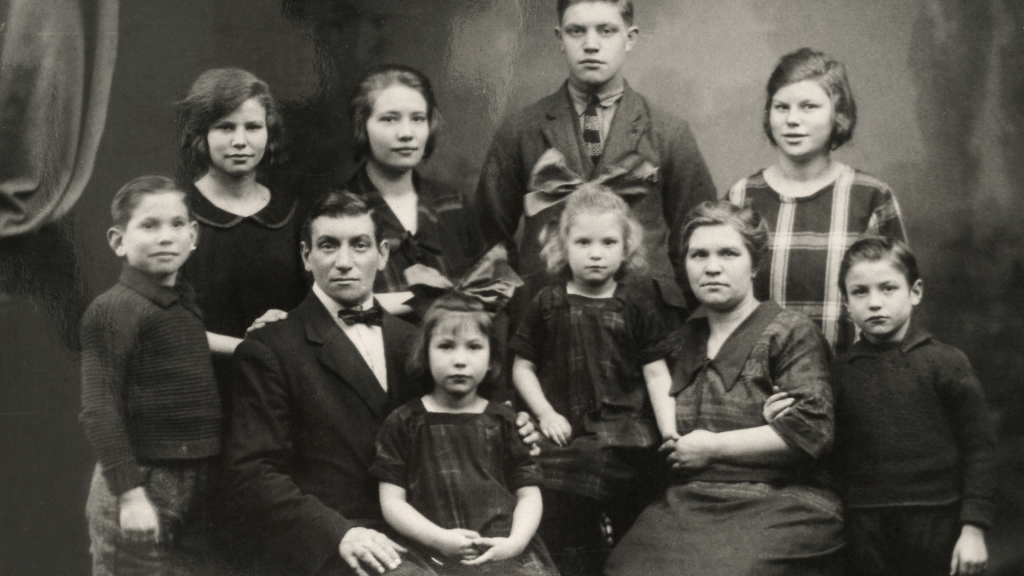
Genealogy research can complement the photo digitisation project by providing valuable information about family members, their relationships, and their history. It can help you identify people in old family photos that you may not recognise or know little about. Genealogy research can also help you understand your family’s migration patterns and their origins. By understanding your family’s history, you can provide context for the digitised photos, making them more meaningful.

Tips for Combining Genealogy Research and Photo Digitisation

  1. Start by organising your family photos and documents. This will make it easier to identify which photos and documents need digitising and which ones have already been digitised.
  2. Start by gathering as much information as you can about your family’s history. This can involve talking to older family members, researching old family documents, and consulting public records.
  3. Use genealogy software to keep track of your research and organise the information you have gathered. Genealogy software can help you keep track of family members, their relationships, and their histories.
  4. Scan and digitise old family documents, such as birth certificates, marriage certificates, and death certificates. These documents can provide valuable information about your family’s history.
  5. Label and tag digitised photos with information about the people, places, and dates in the photos. This will make it easier to organise and search for photos in the future.

Combining genealogy research and photo digitisation can help preserve your family’s legacy. By understanding your family’s history and relationships, you can provide context for digitised photos and documents, making them more meaningful. Organising and digitising old family photos and documents is just the first step in preserving your family’s legacy. Genealogy research can complement the digitisation project by providing valuable information about family members, their relationships, and their history.

The Future of Photo Preservation: Why Digitisation Is the Key

In the digital age, we have access to an incredible amount of information at our fingertips. But what about preserving the past? Our family photos are more than just snapshots of the past—they are a window into our personal history, a way to connect with our loved ones who have passed on, and a treasure trove of memories that we want to keep safe for future generations.

As time passes, our photos begin to fade and deteriorate. But there is a solution that can help us preserve these precious memories for years to come: digitisation. In this blog post, we’ll explore why digitising your family photos is the key to their long-term preservation and why it’s crucial for the future of photo preservation.

  1. Preservation

One of the biggest advantages of digitisation is that it preserves your photos for the long term. Physical photos are susceptible to fading, water damage, and other forms of wear and tear. By digitising your photos, you can ensure that they will be preserved for future generations.

  1. Accessibility

Digitising your photos makes them easily accessible. Rather than rummaging through old photo albums or shoeboxes, you can simply search through your digital files to find the photo you’re looking for. This also makes it easier to share your photos with family and friends who live far away.

  1. Organisation

Digitising your photos also allows you to organise them in a more efficient manner. You can sort your photos by date, location, or event, making it easier to find specific photos when you need them.

  1. Restoration

Digitisation can also help restore old, damaged photos. By scanning and digitising a photo, you can then use photo editing software to restore it to its former glory. This can be especially helpful if you have older photos that have suffered damage over time.

  1. Future-proofing

Finally, digitising your family photos is a way to future-proof your memories. As technology advances, new storage formats will emerge, but digital files will always be transferrable to newer storage mediums. By digitising your photos, you can ensure that they will be accessible and preserved for future generations.

Digitisation is the key to preserving your family’s memories for generations to come. By digitising your photos, you can ensure that they are preserved for the long term, easily accessible, and organized in a way that makes sense to you. With the help of a professional photo digitisation service, you can also restore old, damaged photos and future-proof your memories. Don’t let your family’s memories fade away—digitise them today!

How to Create a Family Tree Using Digitised Photos and Genealogy Software

Family trees are a great way to explore and understand your family’s history. By creating a family tree, you can see how your ancestors are related to each other and discover new information about your family’s past. With the advent of digital photo scanning and genealogy software, it’s now easier than ever to create a family tree using digitised photos. In this post, we’ll explore how to create a family tree using digitised photos and genealogy software.

Step 1: Digitise your photos

The first step in creating a family tree using digitised photos is to digitise your photos. You can either do this yourself using a scanner or hire a professional photo digitisation service to do it for you. Once your photos are digitised, you can easily store them on your computer or external hard drive.

Step 2: Organise your photos

The next step is to organise your photos. You can do this by creating folders on your computer and separating your photos by family member. You can also use photo management software like Adobe Lightroom or Google Photos to organise your photos.

Step 3: Choose a genealogy software

There are several genealogy software options available, including Ancestry.com, Family Tree Maker, and Gramps. Choose the one that best suits your needs and budget.

Step 4: Upload your photos to the genealogy software

Once you’ve chosen your genealogy software, you can start uploading your photos. Most genealogy software will have an option to upload photos and attach them to specific family members. Make sure to tag your photos with the correct family member to make them easy to find later.

Step 5: Build your family tree

Now that you have your photos uploaded to the genealogy software, you can start building your family tree. Start with yourself and work your way back through your ancestors. Use the digitised photos to help you visualise your family tree and make it easier to connect the dots.

Step 6: Research and add information

As you build your family tree, you may come across new information about your ancestors. Take the time to research and verify this information before adding it to your family tree. This will ensure that your family tree is accurate and reliable.

Step 7: Share your family tree

Once you’ve completed your family tree, you can share it with your family members. Most genealogy software will have an option to share your family tree online or through email. This is a great way to connect with relatives and share your family’s history.

Creating a family tree using digitised photos and genealogy software is a great way to explore and understand your family’s history. By following these steps, you can easily create a family tree that is accurate, reliable, and easy to share with your loved ones.