
Reviving Lost Memories: How Photo Restoration Can Help You Reconnect with Your Past

Have you ever stumbled upon a box of old photos that have seen better days? Perhaps they have water damage, are torn or creased, or the colours have faded. These photos may seem beyond repair, but with the right tools and techniques, they can be restored to their former glory. In this blog post, we’ll explore how photo restoration can help you reconnect with your past by bringing lost memories back to life.

Preserving Family Memories

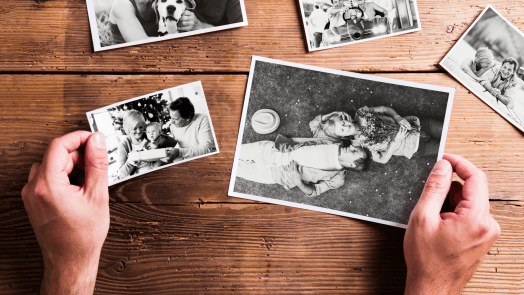
Photos are an important way to preserve our family memories, and they allow us to pass down our family history to future generations. However, over time, these memories can become damaged and deteriorate. Photo restoration is a process that can bring these photos back to life and allow us to once again see the faces and places that are important to us.

The Restoration Process

The restoration process involves repairing and enhancing the damaged photo. This can include repairing tears and creases, removing scratches, and adjusting colour balance and contrast. In some cases, missing parts of the photo can be reconstructed to restore it to its original state. The process is delicate and requires a skilled hand, as well as the right tools and techniques.

Benefits of Photo Restoration

Photo restoration not only allows us to preserve and pass down our family history, but it also provides a sense of connection to our past. By seeing photos of family members who have long since passed away or places that no longer exist, we can connect with our past in a way that is not possible through words alone.

In addition to the emotional benefits, photo restoration can also add value to old photos. Restored photos can be used for a variety of purposes, including creating prints, albums, or digital collections. They can also be used for genealogy research or as part of historical exhibits.

Finding a Professional Restorer

While there are many tools and software available for photo restoration, the best results often come from working with a professional. A professional photo restorer has the experience, knowledge, and tools to bring your photos back to life. They can also provide advice on how to best preserve and display your restored photos.

Photo restoration is a powerful tool for reconnecting with our past and preserving our family history. By restoring old photos, we can see the faces and places that were important to our ancestors and gain a sense of connection to our past. Whether you choose to restore your photos on your own or work with a professional, the end result is well worth the effort.
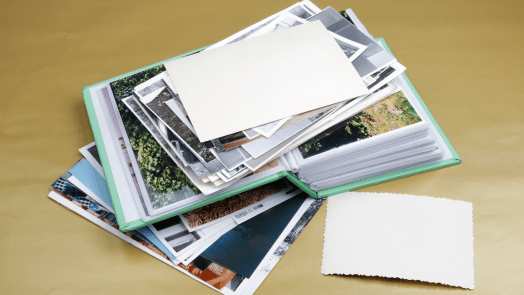
Bringing Your Family Memories to Life: The Importance of Digitising Your Old Photo Albums

Do you have old photo albums gathering dust in your attic or basement? Maybe they’ve been passed down from generation to generation, filled with cherished family memories that you haven’t seen in years. It’s time to bring those memories back to life by digitising your old photo albums.

At Precious Memories, we understand the importance of preserving family memories for generations to come. That’s why we offer a photo scanning service that takes your old photo albums and turns them into high-quality digital files that you can access and share with ease.

Why should you digitise your old photo albums?

For one, digital files take up less space than physical photo albums, which can be a real lifesaver if you’re short on storage space. Plus, digital files are easier to access and share with family and friends. You can create online albums or slide shows, share photos via email or social media, or simply save them on your computer or in the cloud for safekeeping.

But perhaps most importantly, digitising your old photo albums ensures that your family memories are preserved for generations to come. Old photo albums can deteriorate over time, and without proper preservation, the photos inside can fade, discolour, or even become damaged beyond repair. By digitising your photos, you can ensure that they are preserved for future generations to enjoy.

At Precious Memories, we take great care in handling your family photos. We use state-of-the-art scanning equipment and processes to ensure that your photos are scanned at the highest quality possible. We also offer premium services like photo restoration and colorisation to bring faded or damaged photos back to life.

So if you have old photo albums gathering dust in your home, consider digitising them with Precious Memories. You’ll be preserving your family memories for generations to come, and making it easier to access and share them with family and friends.

The Power of Storytelling: Using Your Digitised Photos to Tell Your Family’s History

Family photos have always been a way to capture and preserve memories. They allow us to remember special moments, our loved ones, and the places we’ve been. But what if we told you that your family photos could do more than just that? What if we told you that your digitised photos could tell your family’s story and history?

The power of storytelling through photos is immense. With the rise of digitisation, we have more options than ever to share and preserve our family’s memories. By using your digitised photos, you can create a visual timeline of your family’s history and showcase it to future generations.

Here are some tips on how to use your digitised photos to tell your family’s story:

  1. Organise Your Photos

Before you start creating your family’s history, it’s essential to organise your digitised photos. You can use photo organisation software to sort them by date, event, or person. This will make it easier for you to access the photos you need when creating your timeline.

  1. Create a Timeline

Creating a timeline is an excellent way to tell your family’s story. You can start with the earliest known photo of your family and work your way up to the present day. You can also include photos of significant events, such as weddings, births, or graduations.

  1. Add Context

Adding context to your photos will help bring them to life. You can include dates, locations, and names of the people in the photos. This will help future generations understand the significance of the photos and their place in your family’s history.

  1. Tell Stories

Your photos are a gateway to stories that can connect generations. You can use your digitised photos as a starting point to tell stories about your family members. Share anecdotes, memories, and even family traditions that have been passed down through the generations.

  1. Create a Digital Album

Once you’ve created your timeline, you can create a digital album to showcase your family’s history. You can add captions, music, and even video clips to make it more engaging. You can also share the album with your family members and future generations.

In conclusion, digitised photos are more than just a way to preserve memories. They’re a powerful tool to tell your family’s story and history. By organising your photos, creating a timeline, adding context, telling stories, and creating a digital album, you can share your family’s legacy and keep it alive for generations to come.

Maximising Your Photo Digitisation Results: Choosing the Right Resolution and File Format

Digitising your old photographs can be a rewarding and fulfilling task, but it can also be a daunting one, especially when it comes to choosing the right resolution and file format. These two factors can have a significant impact on the final result of your digitisation project, so it’s important to understand the differences and choose wisely. In this blog post, we’ll explore how to maximise your photo digitisation results by choosing the right resolution and file format.

Resolution

When it comes to digitising your photos, resolution refers to the amount of detail that can be captured in the image. The higher the resolution, the more detail that can be captured. However, higher resolution also means larger file sizes, which can impact storage and processing capabilities. So how do you choose the right resolution for your photo digitisation project?

The answer depends on your intended use for the digitised photos. If you plan to print the photos at a large size or use them for professional purposes, such as in a museum or gallery setting, you’ll want to choose a high resolution, typically 600 DPI (dots per inch) or higher. This will ensure that the details of the original photo are captured accurately and can be seen clearly in the final result.

If, on the other hand, you only plan to view the digitised photos on a screen, such as on a computer or TV, a lower resolution of around 300 DPI may be sufficient. This will still capture enough detail to produce a high-quality image on a screen, but the smaller file size will make it easier to store and share.

File Format

Once you’ve chosen the right resolution for your digitisation project, it’s important to consider the file format. There are several file formats to choose from, including JPEG, TIFF, and RAW, each with its own advantages and disadvantages.

JPEG is a commonly used file format and is suitable for most purposes. It offers good compression, making it ideal for storing and sharing digital photos online. However, JPEG is a lossy format, meaning that it compresses the image data, resulting in a loss of quality. This can be a concern if you plan to use the digitised photos for professional purposes.

TIFF, on the other hand, is a lossless file format, meaning that it retains all the data from the original image. It’s a larger file format, but it offers the highest quality, making it ideal for professional use.

RAW is another lossless file format, but it’s primarily used by professional photographers who want to have full control over the editing process. RAW files are larger than JPEG or TIFF files and require specialised software to view and edit.

In general, for most home photo digitisation projects, JPEG or TIFF are the best file formats to use. If you plan to use the digitised photos for professional purposes, TIFF may be the better option.

Choosing the right resolution and file format for your photo digitisation project is crucial to achieving high-quality results. By understanding the differences and advantages of each option, you can make an informed decision and maximise the potential of your old photos. Remember to consider your intended use for the digitised photos when making your choices, and always keep a backup of your original files to ensure they are protected for future generations.

The Pros and Cons of DIY Photo Digitisation vs. Professional Services

Digitising your old family photos is a great way to preserve and share them with future generations. It allows you to create digital copies that can be easily stored, shared, and edited. But when it comes to photo digitisation, there are two main options: doing it yourself or hiring a professional service. Each option has its own set of advantages and disadvantages. In this blog post, we will explore the pros and cons of both DIY photo digitisation and professional services.

DIY Photo Digitisation

Pros:

  1. Cost: One of the most significant advantages of DIY photo digitisation is cost. Purchasing a scanner or camera and doing the work yourself is typically less expensive than hiring a professional service.
  2. Control: When you digitise photos yourself, you have complete control over the process. You can take your time and ensure that each photo is scanned at the right resolution and colour settings.
  3. Convenience: DIY photo digitisation allows you to work at your own pace and on your own schedule. You don’t have to worry about shipping your photos or scheduling an appointment with a professional service.

Cons

  1. Time-consuming: Digitising photos can be a time-consuming process, especially if you have a large collection. It can take hours, if not days, to scan and edit all of your photos.
  2. Quality: The quality of your digitised photos may not be as high as those done by a professional service. You may not have access to the same high-quality scanners or colour correction software.
  3. Technical knowledge: DIY photo digitisation requires some technical knowledge. You need to know how to use a scanner or camera, as well as photo editing software. Without this knowledge, you may not be able to achieve the best results.

Professional Photo Digitisation Services

Pros

  1. Quality: Professional services typically have access to high-quality scanners and editing software, which can result in better-quality digitised photos.
  2. Expertise: Professional services have the knowledge and experience to digitise photos quickly and efficiently. They know how to handle delicate or damaged photos, ensuring they are digitised safely and with the best results.
  3. Convenience: Using a professional service can be convenient. You can ship your photos to the service or drop them off in person. They will take care of the rest, providing you with high-quality digital copies of your photos.

Cons

  1. Cost: The biggest disadvantage of using a professional service is cost. It can be significantly more expensive than DIY photo digitisation.
  2. Lack of control: When you use a professional service, you have less control over the process. You may not have the final say on colour correction or resolution settings.
  3. Turnaround time: Using a professional service can also mean a longer turnaround time. Depending on the service and the number of photos you need digitised, it can take weeks or even months to receive your digitised photos.

Both DIY photo digitisation and professional services have their own set of advantages and disadvantages. It ultimately depends on your budget, time constraints, and technical knowledge. If you have a small collection of photos and want to save money, DIY photo digitisation may be the best option. But if you have a large collection or want the highest quality digitised photos, it may be worth investing in a professional service. Whatever option you choose, digitising your old family photos is a great way to preserve them for future generations.

Bringing Memories Back to Life: A Customer’s Story

At Precious Memories, we believe that every photo tells a story. That’s why we’re passionate about helping people preserve their memories by digitising old photos that are gathering dust in their attics and basements. We recently had a customer who wanted to digitise an old photo album that had been in her family for generations. Here is her story:

The customer, Mary, had inherited an old photo album from her grandmother. The album was filled with black and white photos of her grandparents, great-grandparents, and other relatives, some of whom she had never even met. Mary knew that the photos were precious and wanted to preserve them for her children and future generations of her family.

Mary searched online for a photo scanning service and came across Precious Memories. She contacted us and arranged to have the photos scanned and digitised. When we received the album, we carefully scanned each photo using state-of-the-art equipment and software. We then colour-corrected and retouched each photo to bring out their full beauty and vibrancy.

When we sent the digital copies of the photos to Mary, she was overjoyed. She had never seen the photos in such great detail and was amazed at how vivid the colours were. Mary was able to share the photos with her family members, some of whom had never seen the old family photos before.

Mary told us that the experience of seeing her family’s history come back to life was priceless. She was grateful that she had decided to digitise the old photo album and was thrilled with the quality of the scans and the restoration work. Mary also appreciated the care and attention that we put into the scanning and digitising process, knowing that the photos were in good hands.

At Precious Memories, we take pride in our work and are committed to helping our customers preserve their precious memories. Contact us today to learn more about our photo scanning and digitising services and how we can help bring your family’s memories back to life.

5 Tips for Organising and Preserving Your Family Photos

Do you have boxes of old family photos stored away in your home, but aren’t quite sure what to do with them? Preserving family memories can be a daunting task, but with a few simple tips, you can organize and preserve your family photos for generations to come. Sort and organize your photos: The first…

How to Share Your Digitised Photos with Family and Friends

Digitising your old family photos is a great way to preserve your precious memories. But what’s the point of digitising your photos if you can’t share them with your loved ones? In this blog post, we’ll discuss some creative ways to share your digitised photos with family and friends. Social Media One of the easiest…

5 Tips for Organising Your Digital Photo Collection

In today’s digital age, we take more photos than ever before. With smartphones in our pockets, it’s easy to capture every moment of our lives. However, with this convenience comes the challenge of managing and organising our growing digital photo collections. If you’re struggling to keep your digital photos organised, we have five tips to…